Room
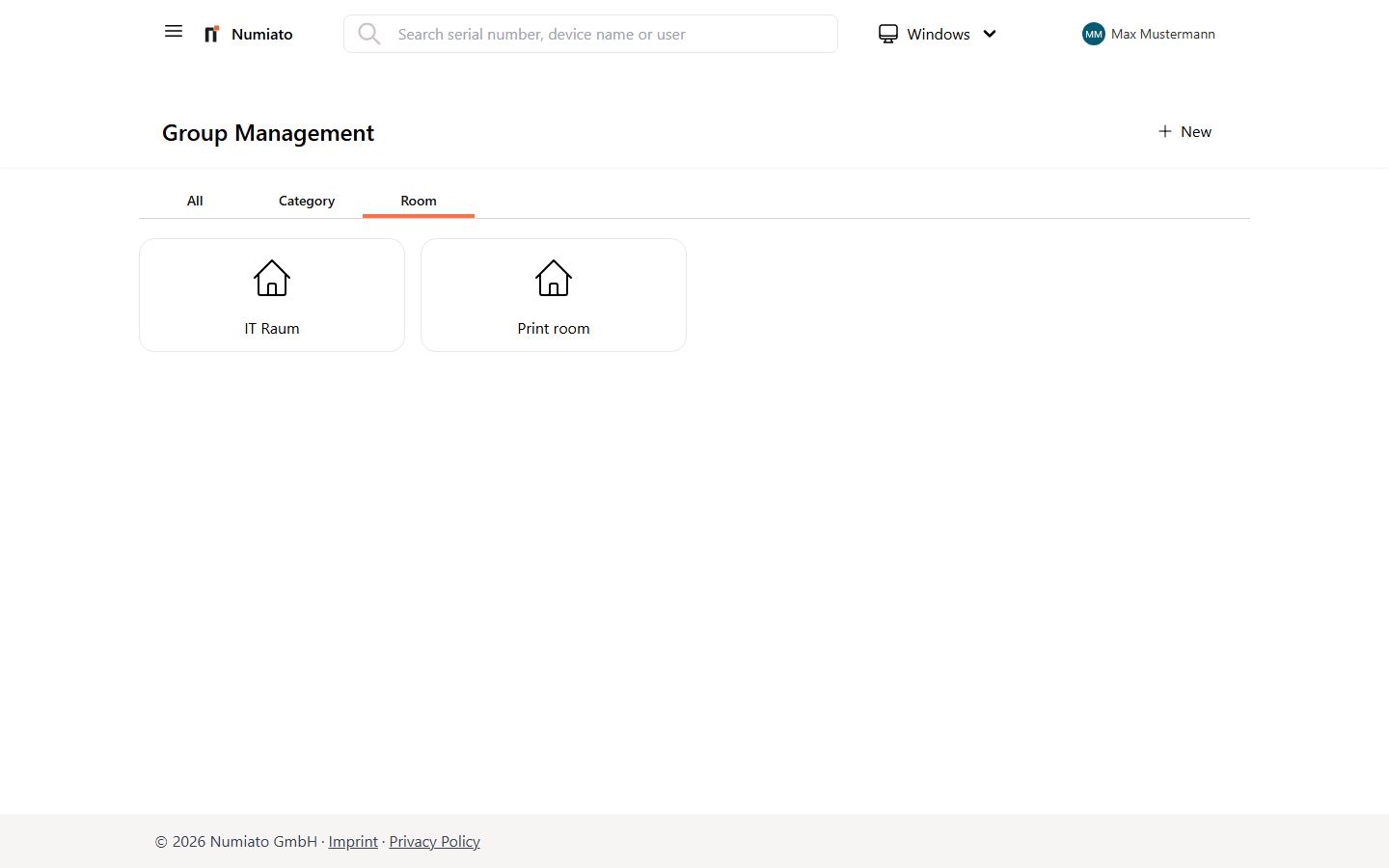
To easily assign applications, policies, and settings, you should always assign stationary devices to a room.
In group management you can create, edit, and delete rooms.
Create Room
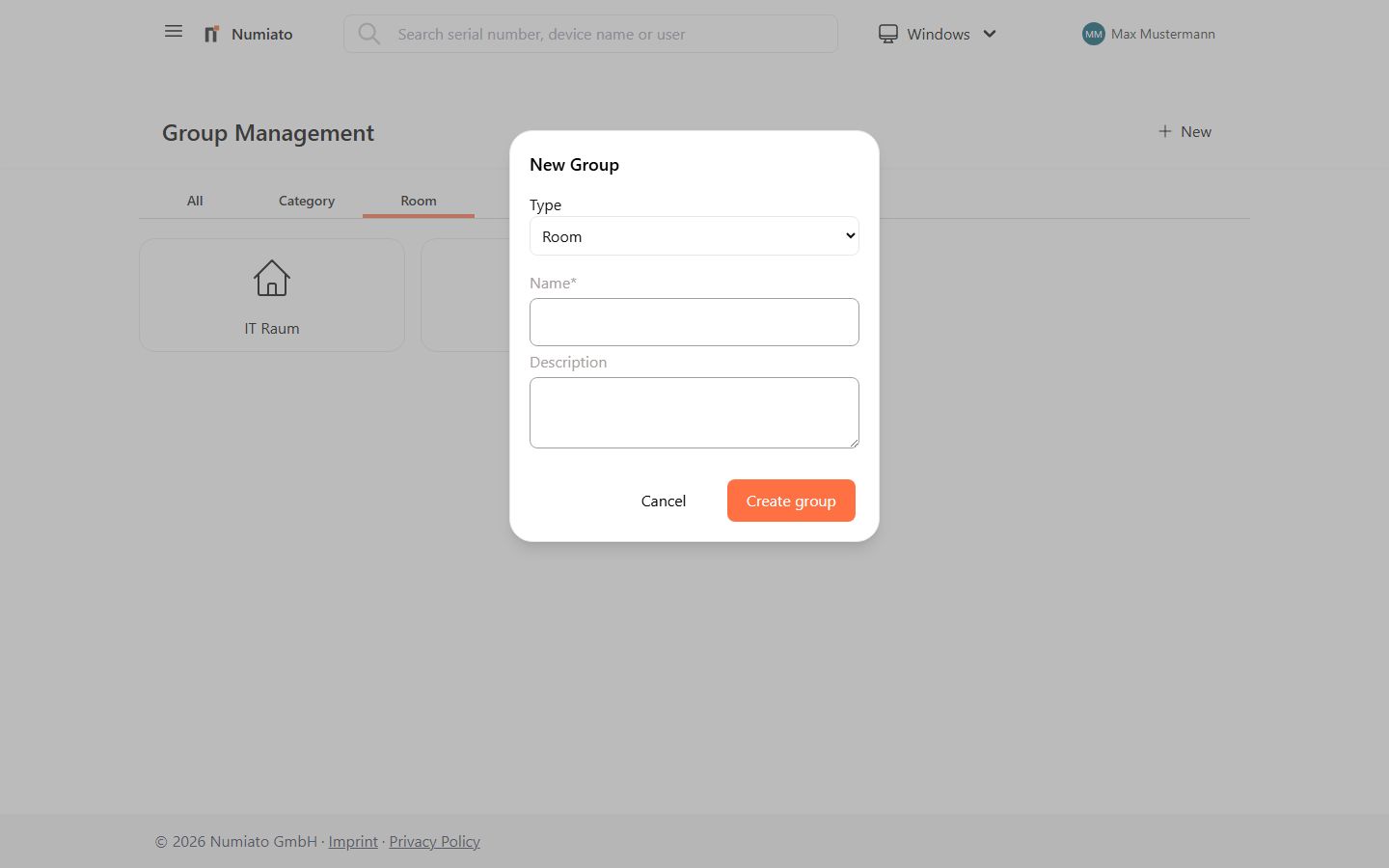
To create a new room:
- Navigate to Numiato Group Management.
- Click Add in the top right.
- Select Room as the type.
- Enter a name and description.
- Click Add Group.
- Monitor the progress in Status & History.
- The room has been created successfully.
Edit Room
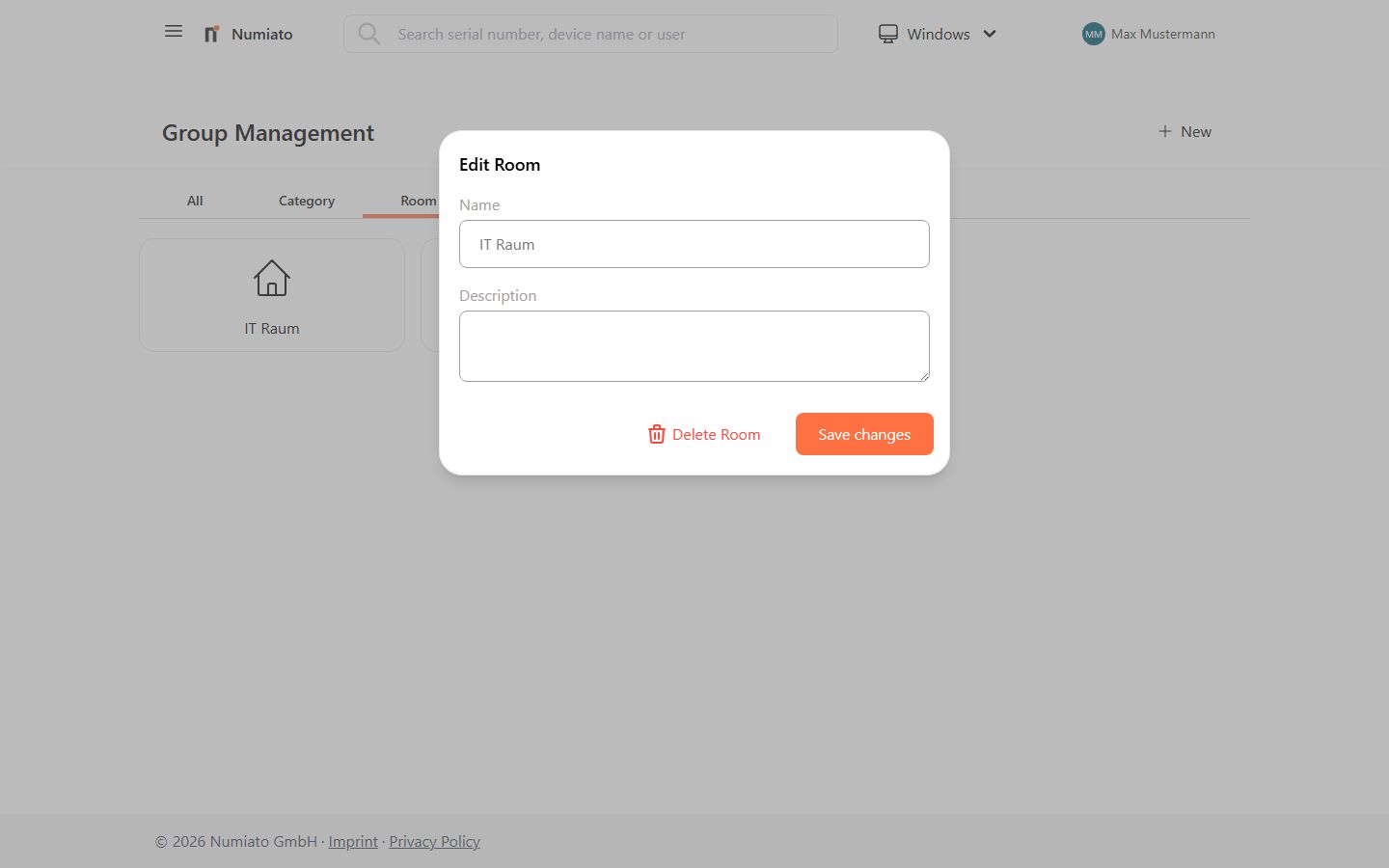
To edit a room:
- Navigate to Numiato Group Management.
- Select the room you want to edit.
- Change the name or description.
- Click Apply Changes.
- Monitor the progress in Status & History.
- The room has been edited successfully.
Delete Room
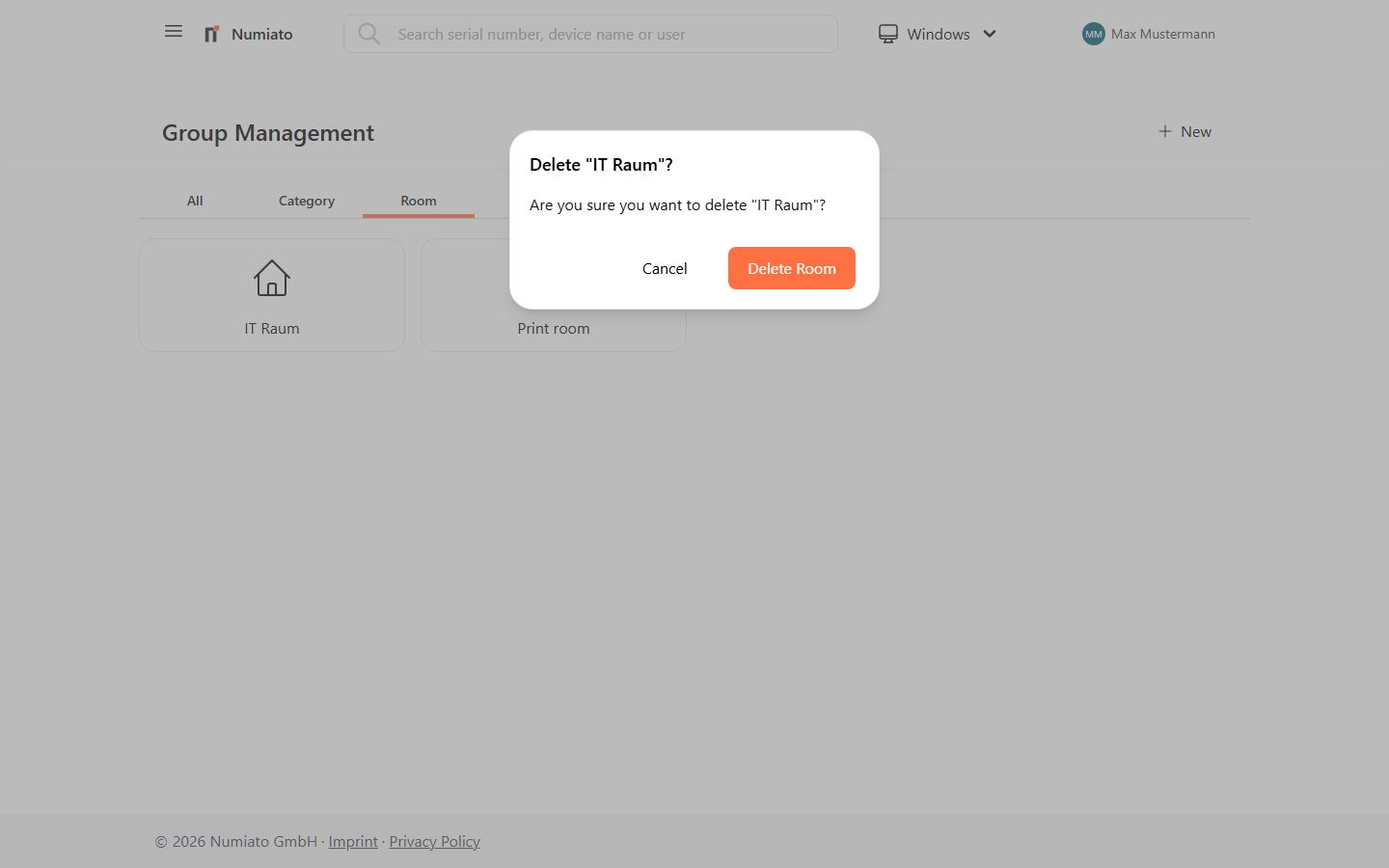
To remove a room:
- Navigate to Numiato Group Management.
- Select the room you want to delete.
- Click Delete Room.
- Monitor the progress in Status & History.
- The room has been removed successfully.