Device Health
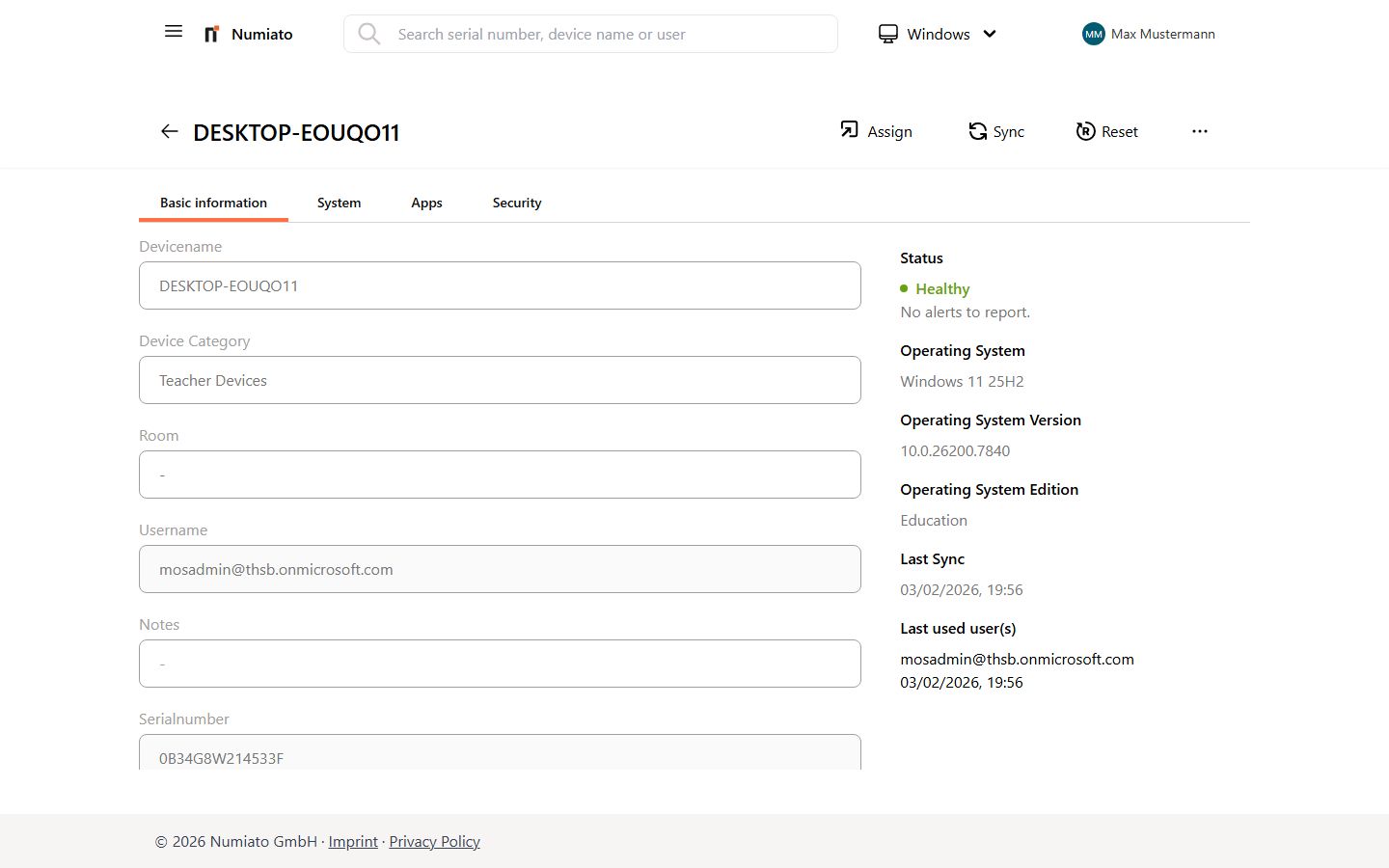
With Numiato you can easily monitor the current health of your devices. Select a device from the list in the Numiato Device Management or use the integrated search.
Device Health
| Status | Meaning |
|---|---|
| OK | Devices in this status are fully operational and no issues are expected. |
| Warning | These devices have a problem that should be resolved before restrictions occur. |
| Critical | These devices have a serious problem that must be resolved immediately, as usage restrictions are likely. |
Device Checks
Numiato regularly performs the following device checks that contribute to the device health:
Windows
Last Updated
This message appears when a device has not been synchronized for a long time.
| Status | Values |
|---|---|
OK |
Sync less than 60 days ago |
Warning |
Sync more than 60 days ago |
Critical |
Sync more than 180 days ago |
Resolution:
- Check whether the device was switched off.
- Make sure the device has an internet connection.
- Perform a manual Sync.
Device Category
This message occurs when a device is not assigned to a category.
| Status | Values |
|---|---|
OK |
Device assigned to a category |
Critical |
Device not assigned to a category |
Resolution:
- Assign the Windows device to a device category.
Free Storage
This message appears when storage space is running low.
| Status | Values |
|---|---|
OK |
More than 10% free storage |
Warning |
Less than 10% free storage |
Critical |
Less than 5% free storage |
Resolution:
- Delete unnecessary applications from the devices. You can uninstall applications via the application management.
- Delete unnecessary files on the device such as photos or documents.
- Clean up the Downloads folder.
Operating System Version
This message occurs when the device has an old Windows version. The latest Windows version should always be on the devices to ensure smooth operation.
Tip
Only the last two versions of Windows 10/11 are supported. Check the current version here.
| Status | Values |
|---|---|
OK |
Supported operating system |
Critical |
Unsupported operating system |
Resolution (in the following order):
- Make sure you are using the Numiato Policy Management and the "Windows Update Optimization" policy is active.
- Make sure the device has performed a sync within the last 7 days.
- Make sure the device has at least 10% free storage, otherwise Windows updates often cannot be installed.
- Make sure the device is charged. Windows updates are only installed above a certain battery percentage.
- Make sure your device is compatible with the latest Windows version.
iPads
Last Updated
This message occurs when a device has not been synchronized for a long time.
| Status | Values |
|---|---|
OK |
Sync less than 60 days ago |
Warning |
Sync more than 60 days ago |
Critical |
Sync more than 180 days ago |
Resolution:
- Check whether the device was switched off.
- Make sure the device has an internet connection.
- Perform a manual Sync.
Device Category
This message occurs when a device is not assigned to a category.
| Status | Values |
|---|---|
OK |
Device assigned to a category |
Critical |
Device not assigned to a category |
Resolution:
- Assign the iPad to a device category.
Free Storage
This message appears when storage space is running low.
| Status | Values |
|---|---|
OK |
More than 10% free storage |
Warning |
Less than 10% free storage |
Critical |
Less than 5% free storage |
Resolution:
- Remove unnecessary apps or files.
- Check the storage usage of individual apps.
Operating System Version
This message occurs when the iPad OS is outdated.
| Status | Values |
|---|---|
OK |
Supported operating system |
Critical |
Unsupported operating system |
Resolution:
- Make sure you are using the Numiato Policy Management and the "iPad Update Optimization" policy is active.
- Make sure the device has performed a sync within the last 7 days.
- Make sure the device has at least 10% free storage, otherwise iPad updates often cannot be installed.
- Make sure the device is charged. iPad updates are only installed above a certain battery percentage.
- Check the compatibility of your device with the latest iPad version.
macOS
Last Updated
This message occurs when a device has not been synchronized for a long time.
| Status | Values |
|---|---|
OK |
Sync less than 60 days ago |
Warning |
Sync more than 60 days ago |
Critical |
Sync more than 180 days ago |
Resolution:
- Check whether the device was switched off.
- Make sure the device has an internet connection.
- Perform a manual Sync.
Device Category
This message occurs when a device is not assigned to a category.
| Status | Values |
|---|---|
OK |
Device assigned to a category |
Critical |
Device not assigned to a category |
Resolution:
- Assign the macOS device to a device category.
Free Storage
This message appears when storage space is running low.
| Status | Values |
|---|---|
OK |
More than 10% free storage |
Warning |
Less than 10% free storage |
Critical |
Less than 5% free storage |
Resolution:
- Remove unnecessary apps or files.
- Empty the Downloads folder.
Operating System Version
This message occurs when the device has an outdated macOS version.
| Status | Values |
|---|---|
OK |
Supported operating system |
Critical |
Unsupported operating system |
Resolution:
- Make sure you are using the Numiato Policy Management and the "macOS Update Optimization" policy is active.
- Make sure the device has performed a sync within the last 7 days.
- Make sure the device has at least 10% free storage, otherwise macOS updates cannot be installed.
- Check the compatibility of your device with the latest macOS version.