Remove Device
There are several reasons to remove a device from Numiato, such as:
- Hardware defect
- Replacement
- Disposal
Removing the device ensures that it is cleaned of all policies while it is still reachable. In addition, the device is deleted from Autopilot/Apple School Manager, allowing it to be used by a new owner. Otherwise it remains permanently assigned to your school.
Warning
Removing does not delete data from the hard drive. It is recommended to reset the device first to securely erase all data.
Information
The process can take up to 24 hours. The device must be online for this.
Remove Device
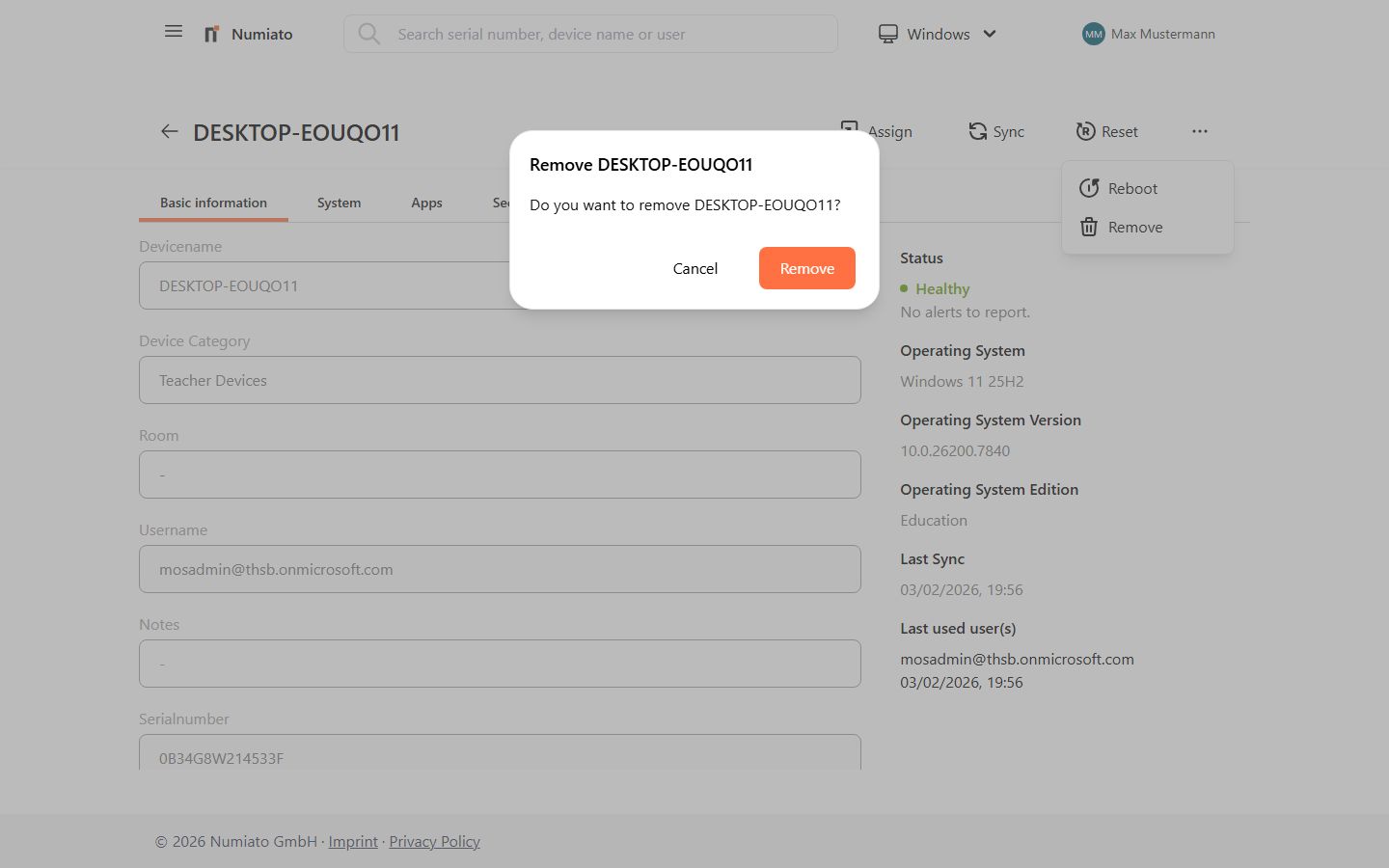
- Select the device in Numiato Device Management.
- Click Remove.
- Confirm the process with Confirm.
- The device is completely removed from Numiato.